Docker Starter
Managed container hosting on an isolated OpenStack host, with enforced CPU, memory, storage and container-count limits.
About
Run your container images with a public HTTPS address, without managing a server. Your own isolated virtual machine on shared physical hosts runs your containers: 2 vCPU, 2 GB RAM, 50 GB of workload storage, up to 10 containers and 10 public HTTPS routes. Every container runs with a read-only root filesystem, all Linux capabilities dropped and no privilege escalation; it can write to /tmp (in memory) and to its persistent /data volume, so use an image built to run unprivileged, such as nginxinc/nginx-unprivileged rather than the stock nginx image.
What people run on it
Side projects
A web app or API with its own HTTPS route, up to 10 containers.
Image requirements
Read-only root filesystem, no added privileges; write to /tmp or /data.
Why run it here
Your own isolated VM running your containers
Containers run inside your own isolated OpenStack virtual machine with a read-only root filesystem, dropped Linux capabilities and persistent /data storage.
Built-in image registry and private HTTPS routes
Push images to your host’s /v2/ registry and publish container routes behind HTTPS, gated private by default until you open them.
Terminal and container logs in the browser
Open a browser session to inspect running containers, environment variables and logs alongside your other servers.
Automate deployments from GitHub or your AI
Deploy from a pinned GitHub commit on Custom GitHub App hosts or trigger operations through the v1 API and MCP endpoint.
What it looks like
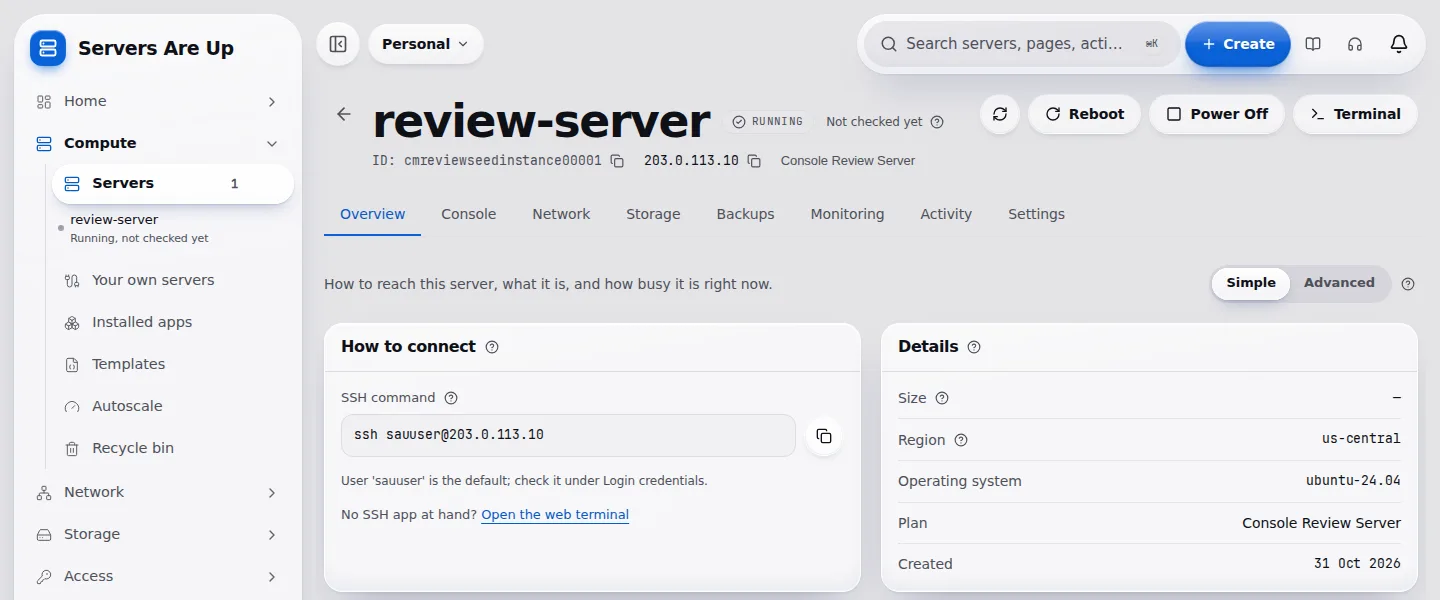

What's included
- Closed to the internet until you open itYour app’s website is private until you publish it from its page; your registry takes your Docker login either way.
- Persistent storage
- Transfer per plan specsGenerous transfer included in the price, up to your plan’s pool.
- Automated provisioningBuilt and started for you as soon as you pay.
- SLA with service creditsOur SLA gives service credits when qualifying downtime passes one hour in a month. We do not publish an uptime percentage.
Costs extra
- Dedicated public IPv4$5/mo each — add a direct public endpoint when forwarded ports are not enough.
Features
Container isolation
Each container runs in its own secure namespace
CI/CD integration
Webhook endpoints for automated deployments from Git
Volume persistence
Data survives container restarts and updates
Private networking
Secure communication between your containers
Environment variables
Securely inject configuration and secrets
Frequently Asked Questions
- How is Docker Starter billed and set up?
- Docker Starter starts at $6.00/month with published resource allocations and no hidden setup fees. Once checkout completes, the provisioning worker builds and verifies the service automatically with no manual approval step.
- How does container isolation work on Docker Starter?
- Docker Starter runs your containers inside your own isolated OpenStack virtual machine with persistent /data storage, a built-in /v2/ image registry, and private-by-default HTTPS routes until you publish them.
- Can I manage Docker Starter with the API, CLI, or AI agents?
- Yes. Every service in your account can be inspected and controlled from the Datacenter Console, the sau CLI, the /api/v1 customer API, and MCP-compatible AI assistants connected to https://serversareup.com/api/mcp/v1.
- Are there per-seat user fees or long-term lock-in contracts on Docker Starter?
- No. Docker Starter is billed month-to-month (with optional annual billing where offered) with zero per-seat user surcharges. Cancel anytime from your dashboard; cancellation takes effect at the end of the current billing period.
- How does Docker Starter integrate with Managed Cloud Storage and Cloud Databases?
- Every Servers Are Up account includes a 5 GiB free developer tier of Managed Cloud Storage hosted via Microsoft Azure (/cloud-storage, scaling from 250 GiB at $9/mo to 25 TiB at $399/mo with double AES-256-GCM + Azure SSE encryption and WORM locks) plus 100,000 free monthly Request Units on SAU Multi-Model Cloud Database (/cloud).
- What happens if I cancel Docker Starter or want to test network routes first?
- You can test round-trip network routes from your ISP before buying using our public speedtest (/speedtest) and 22 free browser network tools (/tools). When you cancel an active subscription from your dashboard, there are no early-termination penalties.
Order Summary
No setup fees · Cancel anytime · Use code WELCOME20 for 20% off your first order · Refund policy
Embed “Deploy on Servers Are Up” README Badge
Share Docker Starter in your GitHub README or docs. Readers get 20% off their first invoice with WELCOME20.
[](https://serversareup.com/products/docker-starter?promo=WELCOME20)Architecture & Buyer Guide: Docker Starter
$6/mo ($3.00/GB RAM)What Docker Starter delivers on US-owned server infrastructure
Docker Starter ($6/mo) integrates directly into your Servers Are Up Datacenter Console, Private Virtual Networks, and automated /api/v1 and /api/mcp/v1 control planes with predictable monthly billing and clean self-service cancellation.
| Evaluation Dimension | Docker Starter (Servers Are Up) | Legacy Hyperscaler / Droplet |
|---|---|---|
| Pricing Model | Published flat monthly rate ($6/mo) · $0 per-seat fees | 2×–3× higher $/GB RAM + metered egress & bandwidth add-ons |
| Browser Console & Access | Built-in browser SSH terminal + native SSH key access | Basic emergency VNC console; manual firewall setup |
| Automation & Cloud Ecosystem | Native /api/v1, sau CLI, 129-tool MCP server & Azure-backed Cloud Storage | Separate IAM consoles; no native hosted Streamable HTTP MCP |