Migrate on Your Schedule.
Cut Your Monthly Cloud Bill.
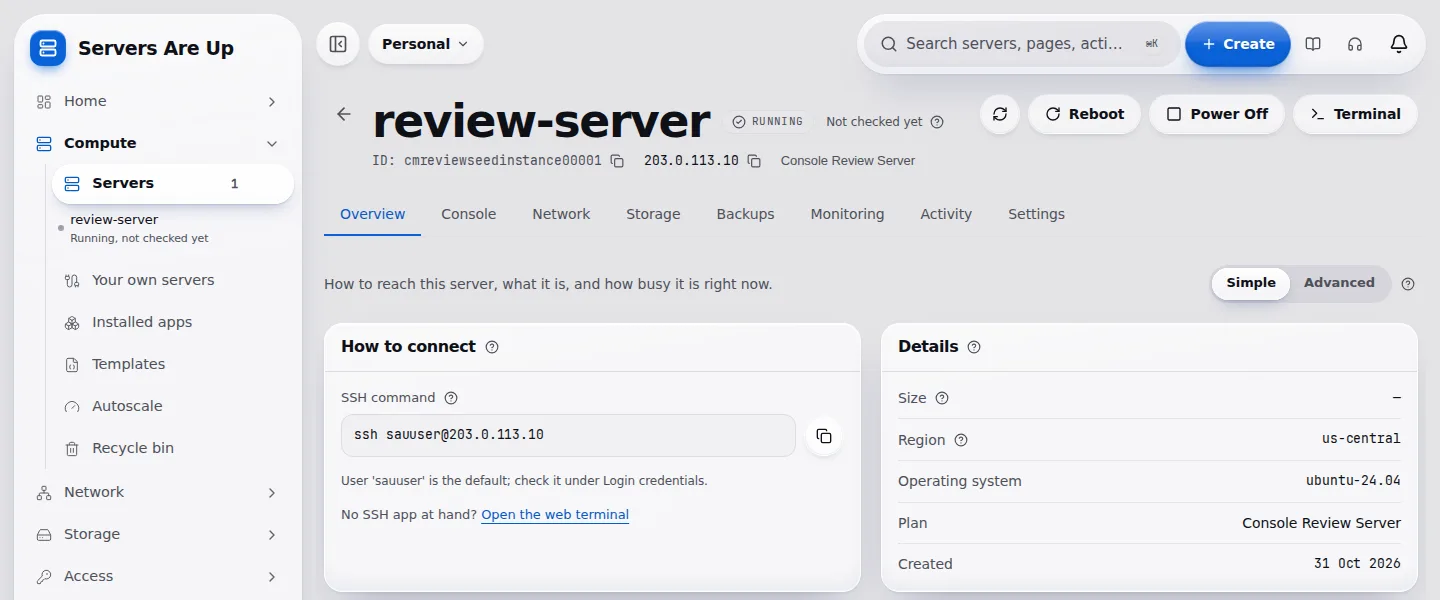
Stage an Available destination server alongside your current host, verify everything over SSH before flipping DNS, or connect your existing servers first for $3/machine/mo.
Overlap-Month Switcher Discount: 20% off your first payment with code WELCOME20
Moving a larger fleet? Use code SAVE10 for $10 off first orders $50+, or earn $10 non-expiring credit per friend you refer.
Choose Your Destination
Live catalog status read at request time — every Available destination can be ordered and provisioned automatically right now.
Linux Cloud VPS
Isolated KVM VMs on US-owned Dell PowerEdge R940 Enterprise Nodes (ECC Registered DDR4 RAM) with root SSH, browser WebSSH, and 69 console apps.
Self-Hosted Instant Apps
Pre-wired containers (Nextcloud, n8n, Vaultwarden, LibreChat, Dify, Immich) with automated setup and HTTPS.
Windows Server 2025 VPS
Windows Server 2025 Standard BYOL VMs with browser HTML5 WebRDP and isolated KVM resources.
Containers & K3s Kubernetes
Managed Docker Compose hosts and single-tenant K3s Kubernetes clusters without per-seat platform fees.
Multiplayer Game Servers
Dedicated game servers (Minecraft, Rust, Palworld, FiveM, Valheim) with UDP port blocks and console.
Connected External Machines
Not ready to move workloads yet? Enroll your existing AWS, DigitalOcean, Vultr, or Hetzner Linux hosts today.

Up to 73% Lower $/GB
Memory-dense Dell PowerEdge R940 plans ($1.19–$1.75/GB RAM)
Owned US Hardware
Intel Xeon Platinum CPUs, ECC DDR4 RAM, and published storage
Controlled Cutover
Stage in parallel, test locally, and flip DNS on your window
24/7 Support + MCP Ready
24/7 AI-assisted human support plus 90+ MCP & REST API operations
4-Step Cutover Playbook
Step 1: Pick an Available destination & stage in parallel
Launch your Available destination server or Instant App (use code WELCOME20 for 20% off your first payment) while your existing server stays untouched.
Step 2: Sync files, Docker volumes & databases over SSH
Lower DNS TTL to 60 seconds, run an initial live rsync pass, then perform a brief final delta sync and pg_dump / pg_restore.
Step 3: Verify inbound firewall rules & TLS before cutover
Test your application locally via curl --resolve or /etc/hosts, confirm default-off firewall entry points are configured, and verify backups.
Step 4: Flip DNS & retain your old host for 24–48 hours
Update A/AAAA records to your new IP, monitor logs in the browser console, and decommission your old provider only after traffic settles.
Standard SSH & Database Cutover Commands
Run these from your source Linux host after authorizing your SSH key (or opening a 30-minute ephemeral SSH lease via the console/API) on your Available destination server.
1. Pre-stage application files & Compose configs with rsync
rsync -avzP --delete /opt/app/ root@NEW_SERVER_IP:/opt/app/2. Stream PostgreSQL dump & restore over SSH
pg_dump -Fc -U postgres app_db | ssh root@NEW_SERVER_IP "pg_restore -U postgres -d app_db --clean --if-exists"3. Copy a named Docker volume directly between hosts
docker run --rm -v app_data:/from alpine tar -czf - -C /from . | ssh root@NEW_SERVER_IP "docker run --rm -i -v app_data:/to alpine tar -xzf - -C /to"4. Verify HTTPS response on new server before changing DNS
curl -Ik --resolve example.com:443:NEW_SERVER_IP https://example.comProvider-Specific Switcher Checklists
Switching from DigitalOcean
Price comparison →- Compare matched RAM tiers side-by-side on /compare/digitalocean before choosing your VM size
- Sync /etc/nginx, Compose stacks, and app data directly over SSH with rsync
- Export Managed Databases with pg_dump / mysqldump into PostgreSQL or MariaDB on your new VPS
- Linux VPS destinations are Available now — stage and verify before flipping DNS
Switching from Vultr or Linode
Price comparison →- Eliminate extra monthly backup surcharges by pointing included encrypted backups at your own S3/R2/B2 bucket
- Review inbound ports before cutover — new Linux VPS instances start with default-off inbound firewall rules
- Test custom domains locally with curl --resolve before updating public DNS records
- Apply code WELCOME20 at checkout for 20% off your overlap month
Switching from Hetzner or OVHcloud
Price comparison →- Ideal when you need US-owned Dell PowerEdge R940 enterprise hardware, US IPv4 latency, and zero setup fees
- Self-serve account creation with no manual passport/ID hold before testing the console or MCP API
- Move Docker Compose stacks and volumes over WireGuard or SSH with tar streaming
Switching from AWS, Render, or Railway
Price comparison →- Replace unpredictable per-seat, per-GB RAM, and NAT/egress charges with flat published monthly pricing
- Connect remaining AWS EC2 instances via Connected Machines ($3/machine/mo) during phased migrations
- Use our interactive Plan Picker or /api/v1/recommend endpoint to map your current spend to an exact SKU
Frequently Asked Questions
- How do I migrate a Linux server from DigitalOcean, Vultr, or Hetzner to Servers Are Up?
- Pick an Available Linux destination plan, lower your DNS TTL ahead of cutover, export your database and files with pg_dump and rsync over SSH, verify firewall entry points and port forwards on the destination server, and update your DNS records during your planned cutover window.
- Can I get a discount during my migration overlap month?
- Yes. First-time buyers can apply promo code WELCOME20 at checkout for 20% off their first payment (or SAVE10 for $10 off orders $50+) to offset running your old and new servers in parallel during cutover testing.
- Should I schedule a DNS cutover before a destination plan is marked Available?
- No. Treat any Coming soon specification or price as a planned value and schedule migration only after your chosen destination plan is marked Available.
- Can I manage my existing external servers from Servers Are Up before migrating?
- Yes. With Connected Machines ($3/machine/month), you can enroll existing Linux servers running in AWS, DigitalOcean, Vultr, Hetzner, Linode, or on-premises into the Servers Are Up Datacenter Console for unified monitoring, browser SSH, and MCP automation before or without migrating.
Ready to Size Your Destination?
Use the interactive Workload Picker (or query /api/v1/recommend from your AI coding assistant) to match your stack and calculate annual savings.